Rhamnusia | Devlog 6
Additive scene streaming, developed main menu, art updates
Overview
Quite the delayed devlog, but a substantial amount of progress has been made with the extra time.
Architecture Rework
The biggest change under the hood this cycle, and the thing that unblocked most of everything else, was pulling the game apart into three separate scene layers. Up until now this project basically lived in one big scene: the player, the managers, the environment, and the UI were all loaded together and all torn down together whenever anything changed. Which was fine for testing but didn’t scale great, and it made saving, streaming, and returning to the menu far messier than they needed to be. So the game now boots through three tiers, each with its own lifetime.
First is the Bootstrap scene. It’s tiny with a single script as the only thing in it and its whole job is to be an entry point. No matter how the game starts up, this is guaranteed to run first. It kicks off loading the next tier in the background while the startup logos play, hands off once everything is ready, and then quietly unloads itself.
Second is the Systems scene, and this is the persistent one. It loads once at boot and then never unloads for the rest of the session. It holds everything that has to survive across screens: the save system, the scene loader itself, the audio and camera-shake managers, the playtime clock, and the single event system and audio listener the whole game shares. Because it never reloads, all of that state and wiring just stays alive no matter what’s happening on top of it, so no more rebuilding the managers every time a level loads.
Third is the content scene, and there’s only ever one of these loaded at a time: either the Main Menu or the actual gameplay world. Switching between them by booting into the menu, starting a game, quitting back out is a single request to the scene loader, which fades to black, unloads whatever content scene was up (along with anything it had streamed in), and brings the new one in on top of the untouched Systems scene.
What’s great is that no scene relies on another. The menu doesn’t need to know anything about gameplay, gameplay doesn’t rebuild the world’s plumbing every time it loads, and every transition is one clean, fade-covered handoff. It also handed me two seams I now lean on constantly: one event that fires just before a world loads (for setting up saved world state before anything tries to read it) and one that fires once it’s ready (for dropping the player in and applying their save). Getting this foundation right will hopefully save a lot of headache in the future.
Main Menu Overhaul
The main menu has been overhauled, featuring new menus and functionality.
Startup Screens
A small feature but the game now displays relevant warnings and my, unofficial, game studio logo on startup. Overall not too important, but it does make this solo project feel much more official.
Character Creation
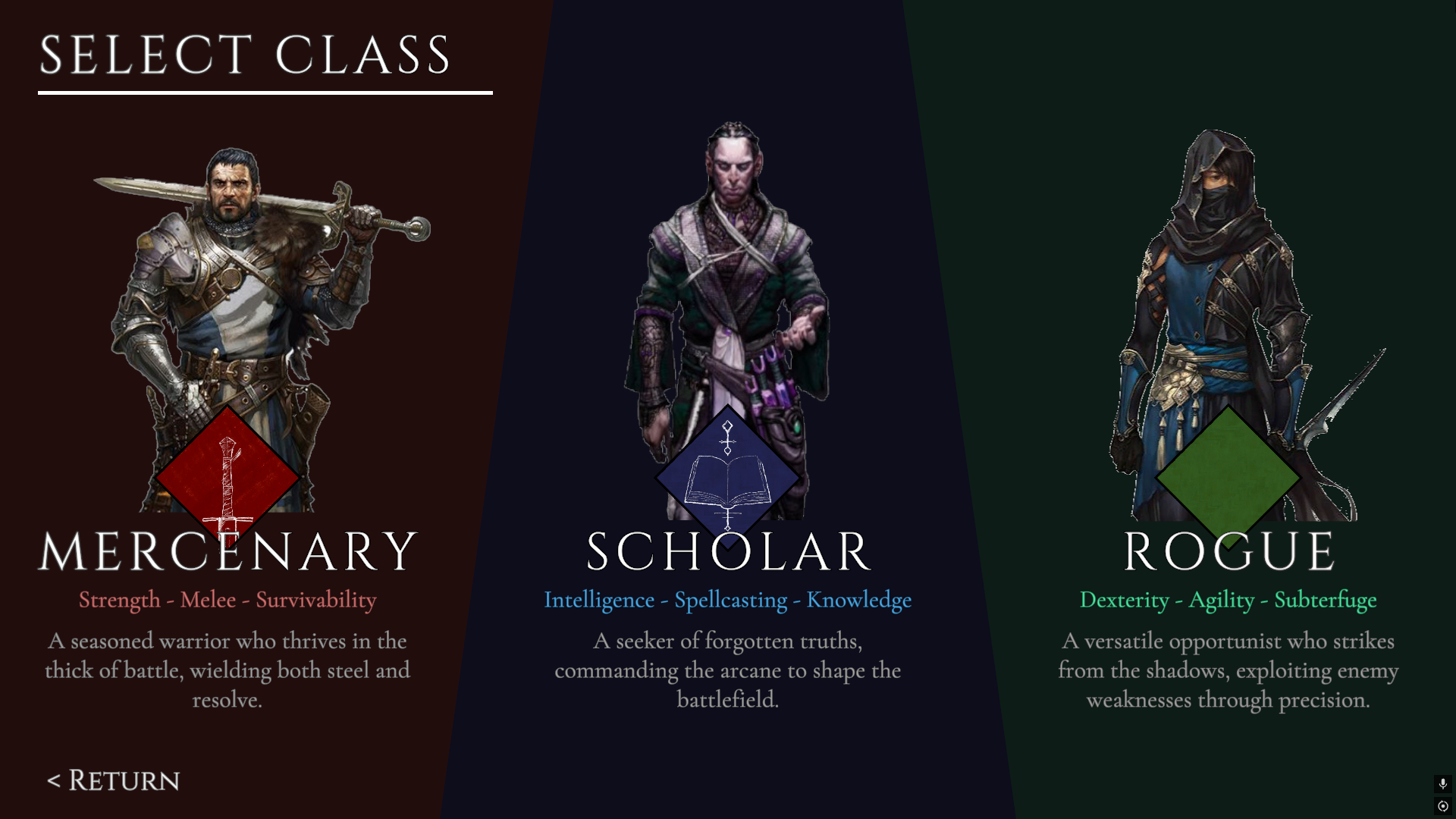
Character creation has been made more robust, the player enters their name on a new screen (which will be used for additional character creation options later), and moves to the class selection screen, a three fold selection that upon choosing a class, displays the class’s skill categories and eventually a demo video.
Save Data Screens
The save data screen for loading/creating a character has also been detailed, the player can view their character’s relevant stats on the panel to the right of the slots. Additionally, a warning system appears upon the player attempting to delete or overwrite a save slot.
Options Screen
The options menu is now fully accessible and functional. So far, the only options available are for audio as there really isn’t much else to change. I have been working on resolution and fullscreen options however.
Video Demo
Pipeline from menu to gameplay
There are still a few things to add here, but overall I think this is a great improvement to what I had before.
Additive Scene Streaming
With the gameplay world now living in its own content scene, I could finally build the thing this whole rework was really for: streaming the environment in and out around the player instead of loading the entire map at once.
The world is carved up into chunks: self-contained scenes of geometry, props, enemies, and bonfires, with no player or camera of their own. Each chunk is paired with a small data asset that records three things: which scene it actually is, which region of the world it represents, and which other chunks sit next to it. Those scene references are tracked by a stable id rather than by filename, so I can rename or move a scene around without silently breaking which chunk points where. A streamer script running on the world root reads all of this and loads and unloads the chunks additively on top of the world as the player moves.
The rule it follows is simple: keep the chunk you’re currently in and its immediate neighbours loaded, and release everything else. When you cross into a new region, the streamer pulls in that chunk’s neighbours in the background, so you’re never standing at the edge of loaded space, the ground ahead of you is already there before you reach it. Chunks that fall out of range aren’t dumped the instant you leave; they linger for a few seconds first, so pacing back and forth across a border doesn’t flicker scenes constantly loading and unloading. The one exception is the chunk you spawn into, which loads fully before the player is placed, there has to be floor under you before you drop in.
This also feeds straight back into the save system. Because every chunk knows which region it is, a save file can record the region the player was standing in, and on load the game streams that exact chunk first and drops you back where you left off, instead of always at the start.
Impostor Scene Setup
Another key part of this system to be added is impostor scene support; scenes that are lower detailed variants of existing ones to be loaded at long distances from the player. So that I can have long vistas of my game’s world without tanking the performance.
Art Updates
Unfortunately I had to retire the old player model from the previous devlogs. I found too many geometry issues with it, the rigging was sub-par, and it wasn’t the prettiest to look at. I found a better base model online and it has been much better to work with. I have full control rig control and have begun working on animations for the other classes.
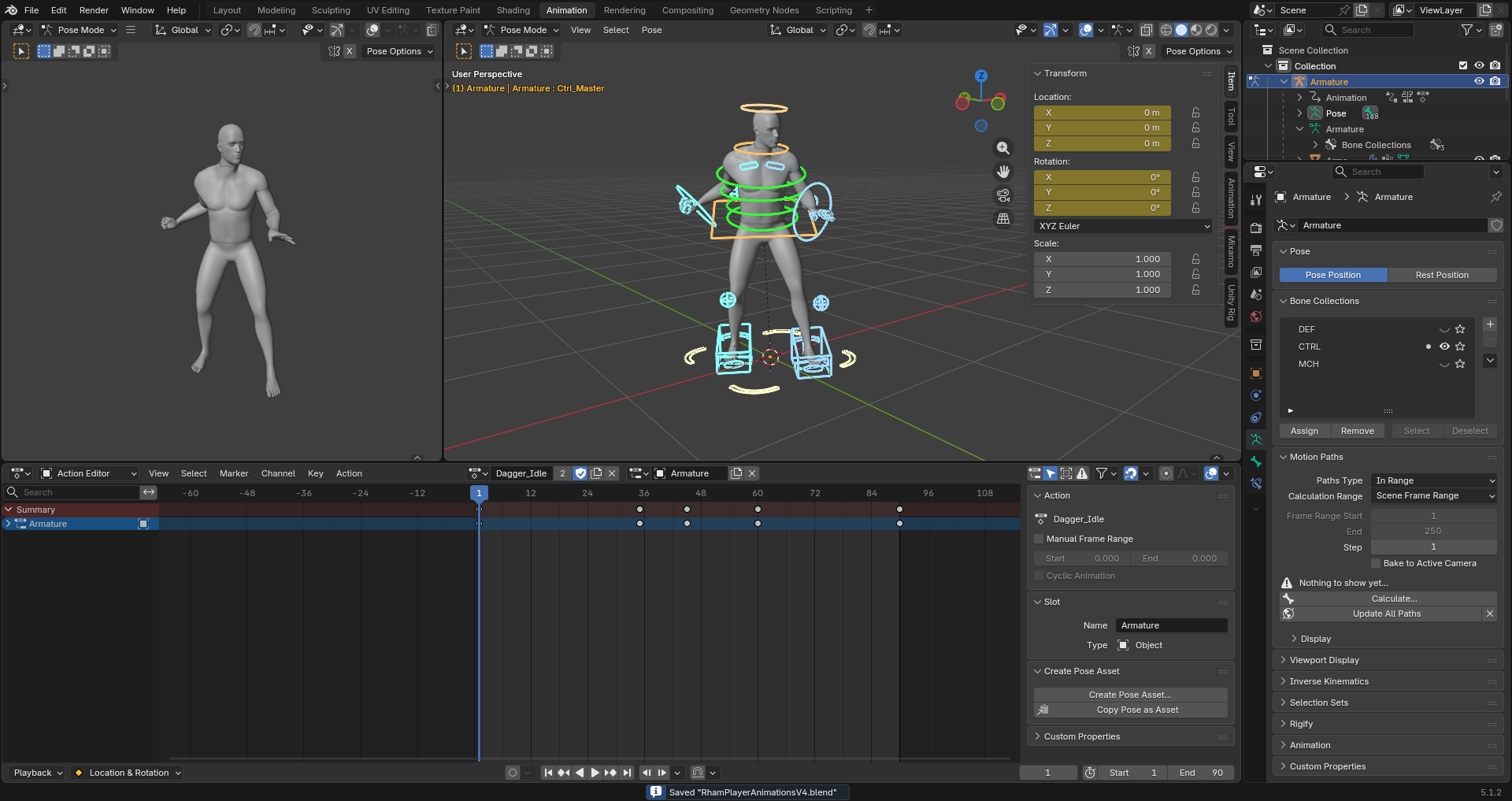
It wasn’t for nothing though, as that model did function as a proof of concept for my equipment system. Maybe one day it’ll return better.
What’s Next
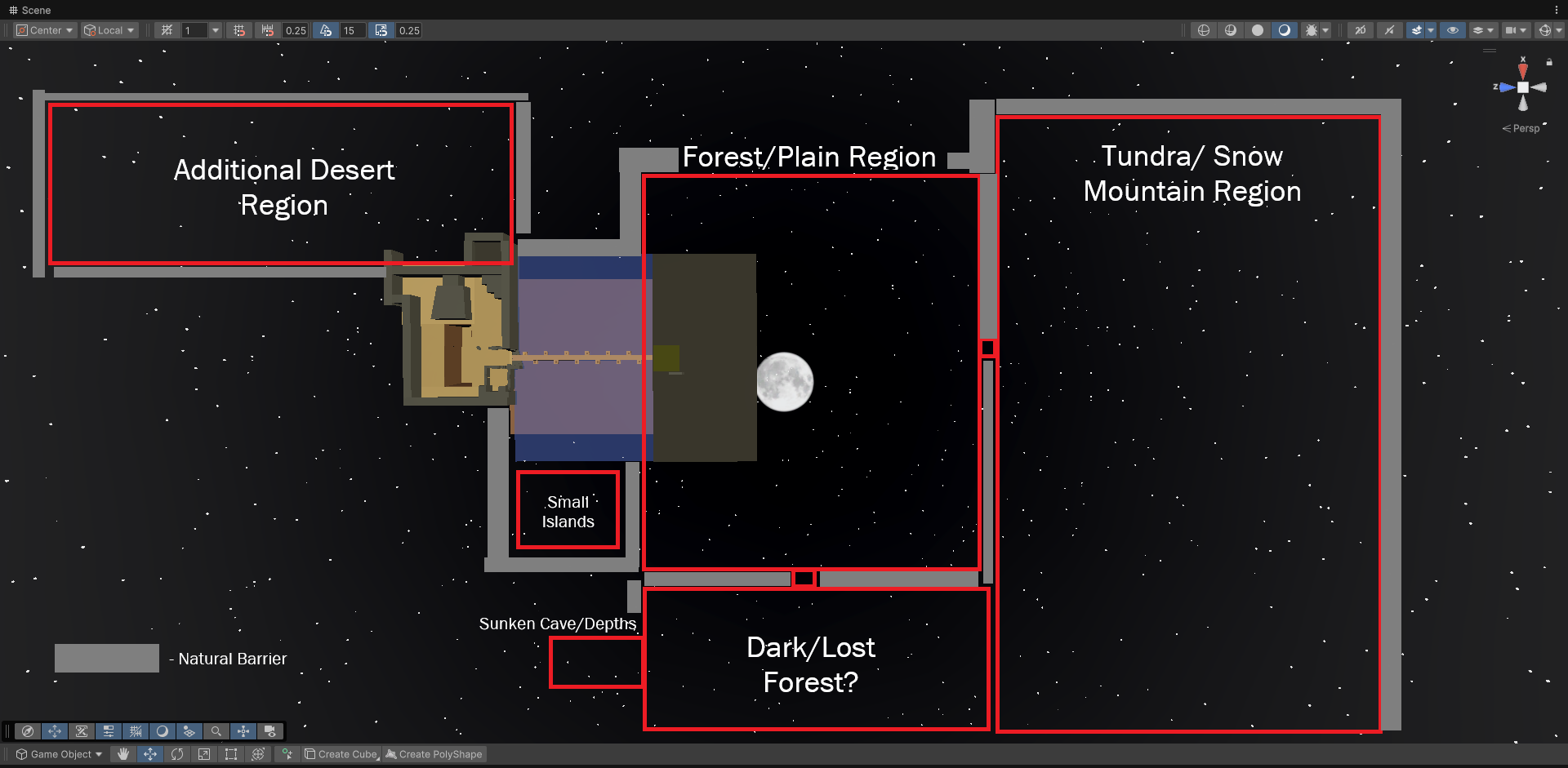
Now that I have a world that can properly stream, the next focus is actually making a world that would need that. I am still working on a much larger world graybox.
Additionally, combat does need some more work. I have been taking inspiration from games like Sekiro, For Honor, and Final Fantasy 13, in developing some sort of “stagger” system, but that remains to be finalized as of now.