InizioEngine | Summary
A custom game engine built in C++ and OpenGL
The Basics
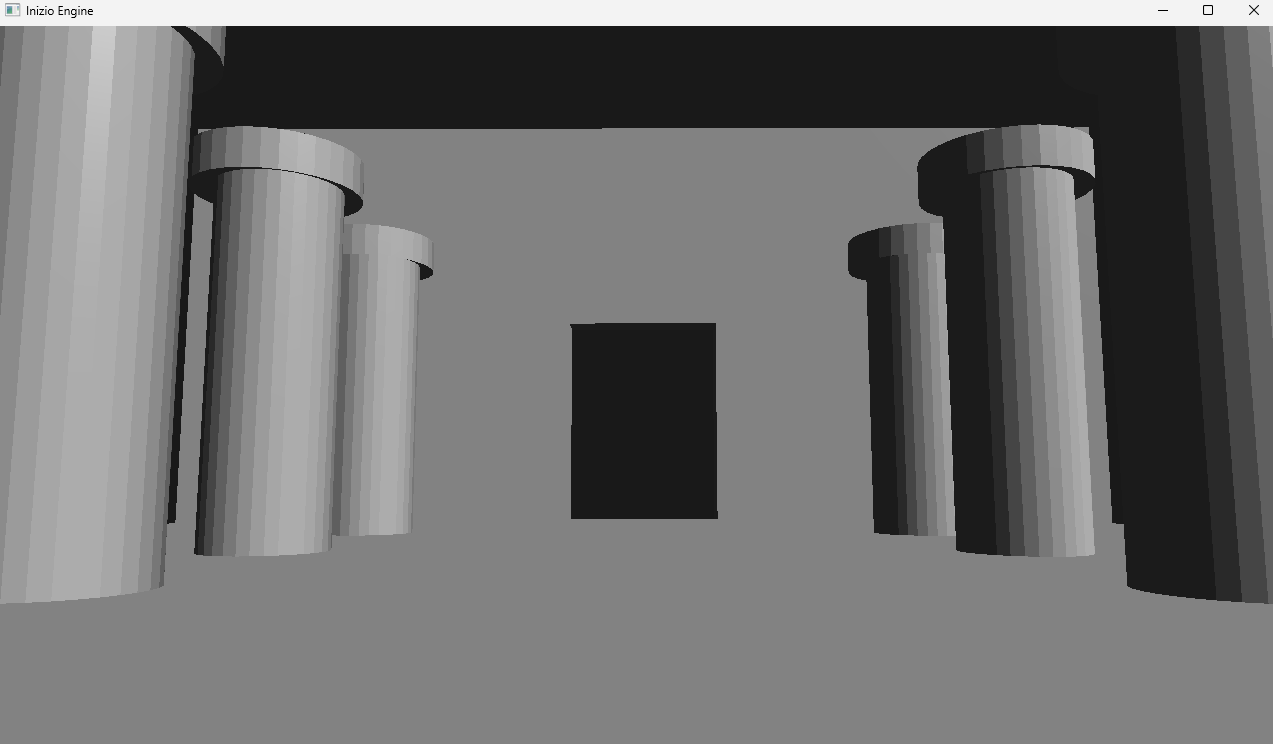
This project came about from my previous software rasterizer project. I wanted to build off that idea and branch out into OpenGL to create my own game engine, as part of a 2-week final project for my computer graphics course.
To begin the process, I referenced previous code alongside video tutorials to create a sort of free camera controller that views a 3D cube in an empty space.
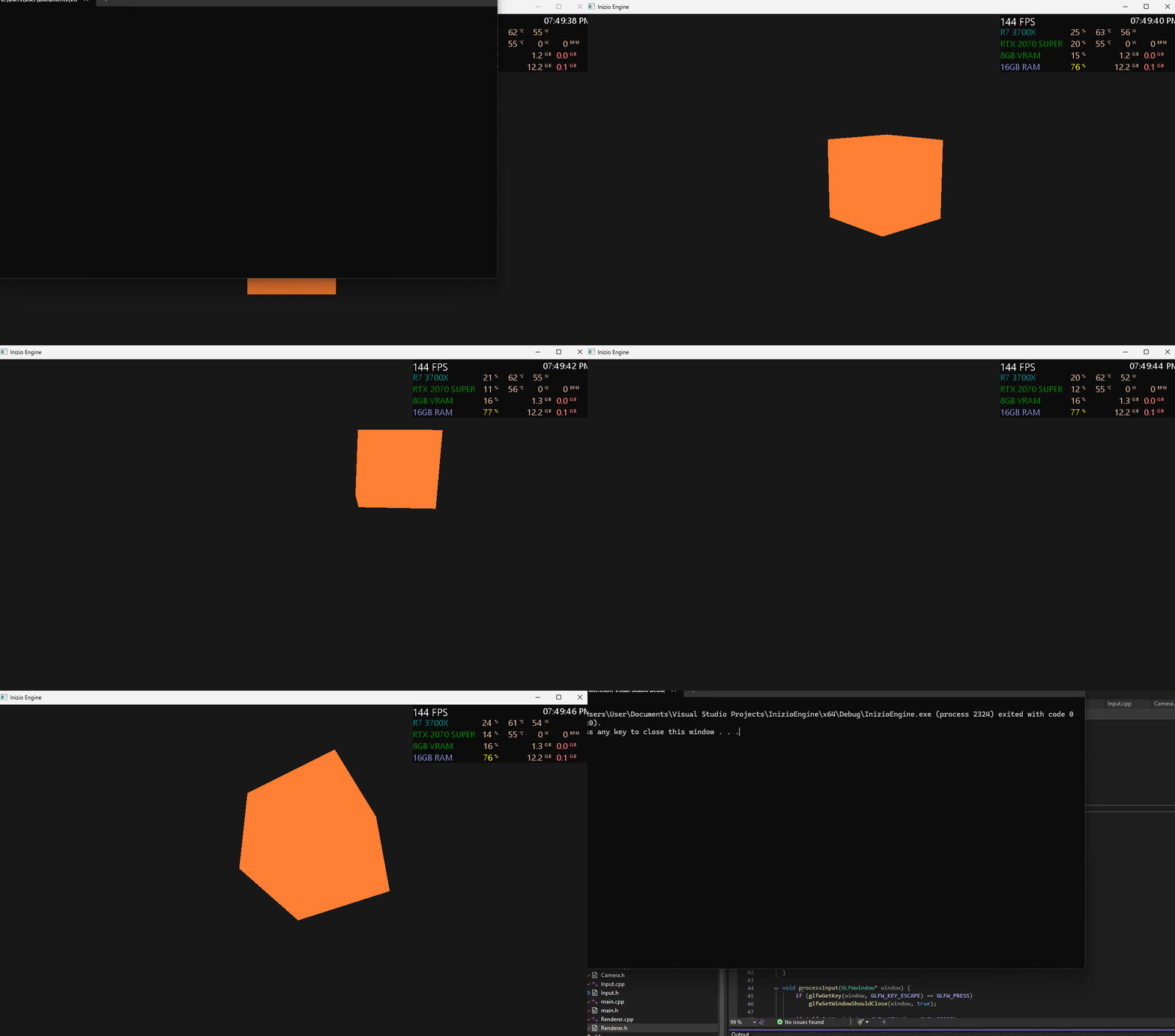 Early free camera and 3D cube
Once the camera felt right, I split the engine into a handful of small classes instead of piling everything into one file: a Renderer for compiling shaders and issuing draw calls, a Camera for the first-person view, Mesh and Model for geometry, and a PlayerController for movement and combat. main.cpp creates the window, the main loop, and wires all of those together. Keeping the pieces separated made it far easier to keep adding features without the whole thing collapsing.
For dependencies I leaned on the usual OpenGL stack: GLFW for the window and input, GLAD to load the GL functions, and GLM for all the vector and matrix math. Everything is included into the project so there’s nothing to install separately.
Skybox
With a scene to look at, the next thing I wanted was for that scene to feel like it existed somewhere rather than floating in a void. Following the LearnOpenGL cubemap guide, I loaded six textures (one per face) into a GL_TEXTURE_CUBE_MAP and drew them on a unit cube that’s always centered on the camera.
1
2
3
4
5
6
7
8
9
10
11
12
13
14
15
16
17
18
19
20
GLuint LoadCubemap(const std::vector<std::string>& faces)
{
    GLuint tex;
    glGenTextures(1, &tex);
    glBindTexture(GL_TEXTURE_CUBE_MAP, tex);

    for (unsigned int i = 0; i < faces.size(); i++) {
        // ... load each face with SOIL2 ...
        glTexImage2D(GL_TEXTURE_CUBE_MAP_POSITIVE_X + i,
                     0, GL_RGB, w, h, 0, GL_RGB, GL_UNSIGNED_BYTE, data);
    }

    glTexParameteri(GL_TEXTURE_CUBE_MAP, GL_TEXTURE_MIN_FILTER, GL_LINEAR);
    glTexParameteri(GL_TEXTURE_CUBE_MAP, GL_TEXTURE_MAG_FILTER, GL_LINEAR);
    glTexParameteri(GL_TEXTURE_CUBE_MAP, GL_TEXTURE_WRAP_S, GL_CLAMP_TO_EDGE);
    glTexParameteri(GL_TEXTURE_CUBE_MAP, GL_TEXTURE_WRAP_T, GL_CLAMP_TO_EDGE);
    glTexParameteri(GL_TEXTURE_CUBE_MAP, GL_TEXTURE_WRAP_R, GL_CLAMP_TO_EDGE);

    return tex;
}
The trick that makes it read as “infinitely far away” is drawing the skybox with the translation stripped out of the view matrix and forcing its depth to the far plane, so no matter where you walk it never gets any closer.
Models, Textures, and Lighting
An empty cube only stays interesting for so long, so I brought in Assimp to import real geometry from .obj/.mtl files and SOIL2 to load the textures. At startup the engine loads a level model and a sword model; the sword becomes the first-person viewmodel and the level becomes the world you walk around in.
For shading I wrote a simple per-fragment lighting model in GLSL: ambient, diffuse, and specular combined against a single directional light. It’s basic Blinn-Phong-style lighting, but seeing the specular highlight slide across the sword as you move sold the whole thing.
1
2
3
4
5
6
7
8
9
10
11
12
13
vec3 ambient = 0.15 * lightColor;

vec3 norm  = normalize(Normal);
vec3 light = normalize(-lightDir);
float diff = max(dot(norm, light), 0.0);
vec3 diffuse = diff * lightColor;

vec3 viewDir    = normalize(viewPos - FragPos);
vec3 reflectDir = reflect(-light, norm);
float spec = pow(max(dot(viewDir, reflectDir), 0.0), shininess);
vec3 specular = 0.3 * spec * lightColor;

vec3 result = (ambient + diffuse + specular) * objectColor;
Collision
Walking through walls broke the illusion instantly, so the level mesh gets decomposed into a big list of triangles at load time, and the player is treated as a capsule that collides and slides against them. The core of it is a helper that finds the closest point on a triangle to the player’s position; from there I can push the capsule back out along that direction whenever it penetrates a surface.
1
2
3
4
5
6
7
8
9
10
11
12
13
14
15
16
17
18
19
20
21
22
23
24
25
26
27
28
29
30
31
32
33
34
35
36
37
38
39
40
41
42
43
44
45
46
47
48
49
50
51
// --------------------------------------------------------
// Capsule collision helper
// --------------------------------------------------------

static inline glm::vec3 ClosestPointOnTriangle(const glm::vec3& p,
    const glm::vec3& a,
    const glm::vec3& b,
    const glm::vec3& c)
{
    glm::vec3 ab = b - a;
    glm::vec3 ac = c - a;
    glm::vec3 ap = p - a;

    float d1 = glm::dot(ab, ap);
    float d2 = glm::dot(ac, ap);
    if (d1 <= 0.0f && d2 <= 0.0f) return a;

    glm::vec3 bp = p - b;
    float d3 = glm::dot(ab, bp);
    float d4 = glm::dot(ac, bp);
    if (d3 >= 0.0f && d4 <= d3) return b;

    float vc = d1 * d4 - d3 * d2;
    if (vc <= 0.0f && d1 >= 0.0f && d3 <= 0.0f) {
        float v = d1 / (d1 - d3);
        return a + v * ab;
    }

    glm::vec3 cp = p - c;
    float d5 = glm::dot(ab, cp);
    float d6 = glm::dot(ac, cp);
    if (d6 >= 0.0f && d5 <= d6) return c;

    float vb = d5 * d2 - d1 * d6;
    if (vb <= 0.0f && d2 >= 0.0f && d6 <= 0.0f) {
        float w = d2 / (d2 - d6);
        return a + w * ac;
    }

    float va = d3 * d6 - d5 * d4;
    if (va <= 0.0f && (d4 - d3) >= 0.0f && (d5 - d6) >= 0.0f) {
        float w = (d4 - d3) / ((d4 - d3) + (d5 - d6));
        return b + w * (c - b);
    }

    float denom = 1.0f / (va + vb + vc);
    float v = vb * denom;
    float w = vc * denom;
    return a + ab * v + ac * w;
}
Combining that with gravity and a ground check gave me a player that can walk, jump, and land on the level geometry without clipping through it.
Movement and Combat Framework
The PlayerController handles first-person movement with gravity and jumping, plus sprinting, dashing, a parry, and a light-attack combo chain. Dashing is a short burst in the movement direction on a cooldown; the parry and each attack have their own cooldowns so you can’t just spam everything at once.
The part I’m most proud of is the weapon animation. Rather than authoring animation clips in a tool, I keyframed the sword poses directly in code as offset + rotation pairs, then interpolate between them each frame with glm::mix. There’s an idle bob, a sprint pose, a dash pose, a parry, and a three-hit light attack combo, each with its own startup and swing poses.
1
2
3
4
5
6
7
8
9
WeaponPose idlePose   = { {0.6f, 0.19f, -1.24f}, {-93.f, 35.f, 103.f} };
WeaponPose parryPose  = { {-0.07, 0.06f, -1.05f}, {-93.f, -51.5f, -44.0f} };
WeaponPose sprintPose = { {0.47f, 0.04f, -0.590f}, {-40.5f, -14.50f, -96.5f} };
WeaponPose dashPose   = { {-0.5f, -0.25, -0.58f}, {-93.f, -100.0f, 84.5f} };
// ...plus startup + swing poses for the 3-hit combo

// each frame, ease the current pose toward the target
currentPose.offset   = glm::mix(currentPose.offset,   targetPose.offset,   alpha);
currentPose.rotation = glm::mix(currentPose.rotation, targetPose.rotation, alpha);
While simple, I think it’s quite a classic style of animation, reminding me of old-school first-person games like Daggerfall.
Debug Tools
Hand-tuning all of those pose values by editing numbers and recompiling would have taken forever, so I wired in Dear ImGui as a debug panel to live-tweak the weapon’s offset, rotation, and scale while the game is running, and to watch the current animation state. Finding a pose that looked right became a matter of dragging sliders instead of a rebuild loop. I also brought in RmlUi so that game UI can be authored in HTML/CSS rather than positioned by hand in code.
Controls
Input works on both keyboard/mouse and a gamepad, and the controller is auto-detected and preferred when one is plugged in.
| Action | Keyboard & Mouse | Controller (PS4) |
|---|---|---|
| Move | W / A / S / D | Left Stick |
| Look | Mouse | Right Stick |
| Jump | Space | Cross |
| Sprint | Left Shift | L3 |
| Dash | F | Circle |
| Light attack | Left mouse | Square |
| Parry | Right mouse | L1 |
| Heavy attack | R | Triangle |
Final Implementation
Demo video
Put together, the engine now boots straight into a playable first-person scene: a textured level under a cubemap sky, a sword in hand, and a movement and combat set with responsive controls.
Reflection
As a game developer hobbyist, this project really opened my eyes on how much modern game engines handle under the hood for the user. Things I’d taken for granted in Unity or Unreal, like loading a model, keeping the player from walking through walls, making a weapon swing feel good each turned out to be its own small project once there was no engine doing it for me.
Working within a two-week deadline forced me to be pragmatic: keyframing poses in code instead of building an animation system, decomposing the level into triangles instead of a full physics engine. If I keep building on this, the obvious next steps are a proper animation pipeline, user interface, enemies to actually use the combat system against, and more of the level authored to explore.