Software Rasterizer | Summary
A software rasterizer built from scratch in C++
Starting Out
This project was developed throughout an Intro to Computer Graphics course during my senior year at the University of Oregon. The goal was to progressively build a software rasterizer from scratch in C++, eventually supporting triangle rasterization, depth buffering, linear interpolation, camera transformations, and basic lighting models.
Rather than relying on OpenGL or DirectX to render geometry, the renderer writes directly into a raw PPM image buffer. Building the pipeline manually made it much easier to understand how modern GPUs transform 3D geometry into pixels behind the scenes.
Over the course of the project, I implemented:
- Scanline triangle rasterization
- Color interpolation
- Z-buffering
- Camera/view/projection transforms
- Gouraud and Phong shading concepts
- Frame-by-frame animation rendering
The final renderer was capable of rendering thousands of animated triangles completely in software.
Scanline Algorithm
To better understand how rasterization actually works, I implemented a basic scanline algorithm that renders directly into a PPM image buffer.
The rasterizer works by converting a triangle defined in continuous screen-space coordinates into discrete pixels on an image.
Instead of testing every pixel in the image to see whether it lies inside the triangle, the algorithm processes the triangle one horizontal scanline at a time.
For each scanline:
- Determine where the scanline intersects the triangle edges
- Compute the left and right x-bounds of the triangle on that row
- Fill every pixel within those bounds
 My scanline algorithm renders up the image
Z-Buffer and Linear Interpolation
Up to this point, while my rasterizer could render solid colors just fine. This came with the assumption that the image had no depth and there were no color gradients at any point on the image. When trying to render a more complex image with depth and color gradients, the following would be produced:
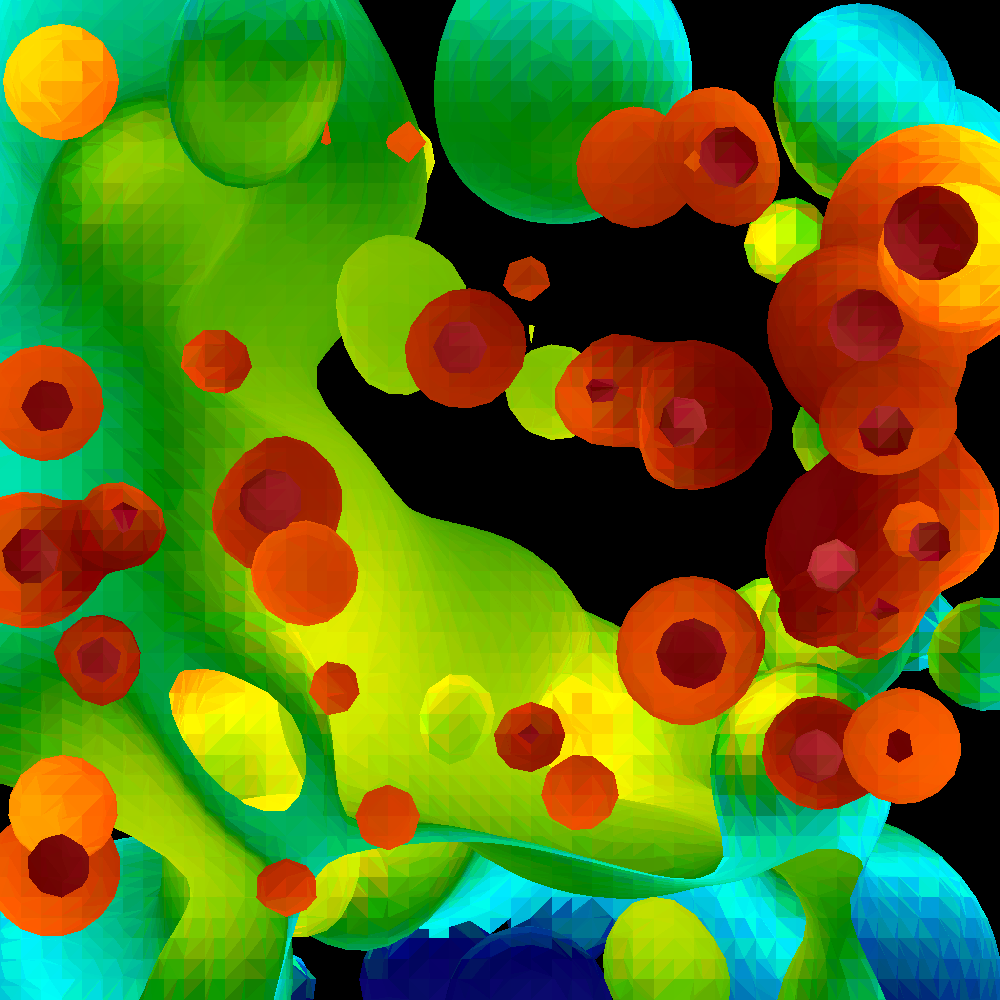
The first issue was color interpolation.
Each triangle vertex contains its own RGB color value. To correctly shade the interior of the triangle, the renderer must smoothly interpolate those values across every pixel inside the primitive.
This was implemented using linear interpolation.
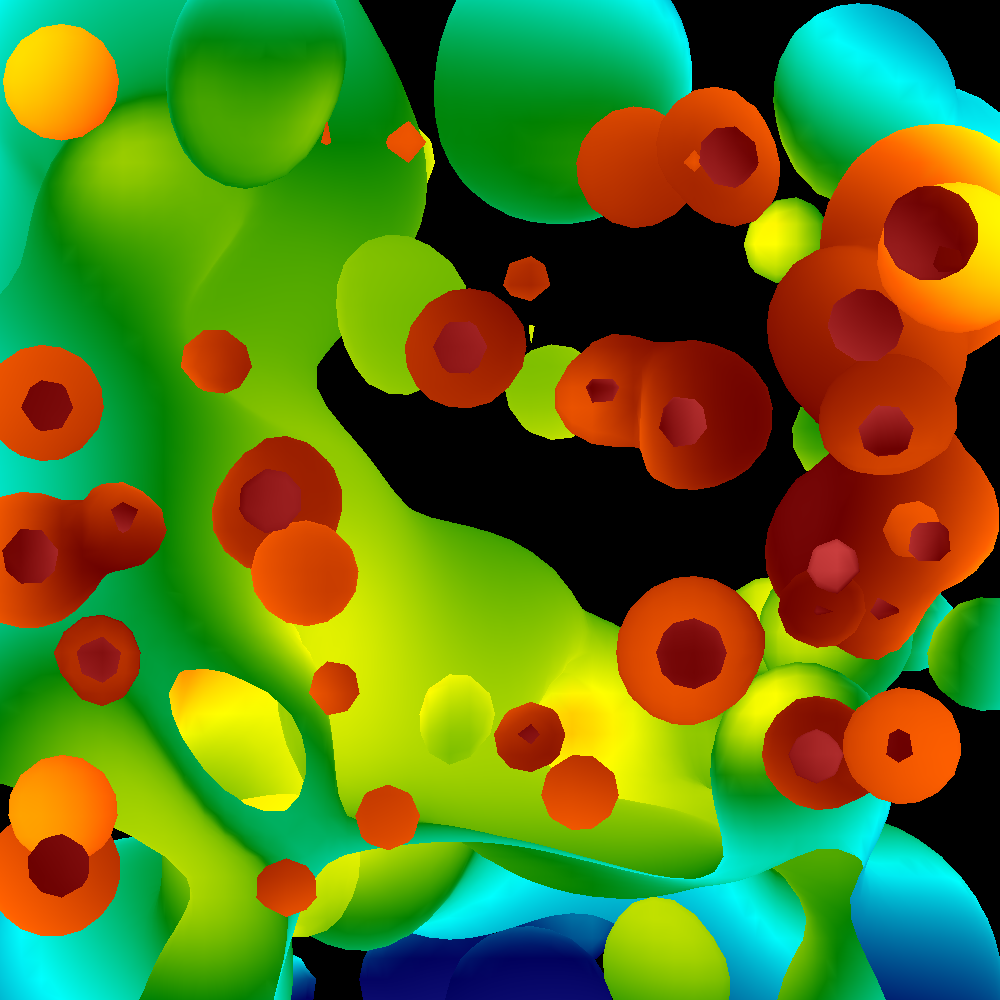
With colors now properly functioning, the next issue of depth still remained. To solve this, I implemented a Z-buffer.
The Z-buffer stores the closest depth value rendered at every pixel location. During rasterization, each pixel compares its interpolated depth value against the current depth buffer entry:
- If the new fragment is closer to the camera, the pixel is updated.
- Otherwise, the fragment is discarded.
This allows visibility to be resolved correctly regardless of rendering order. Combining both color interpolation and z-buffer producing the image below:
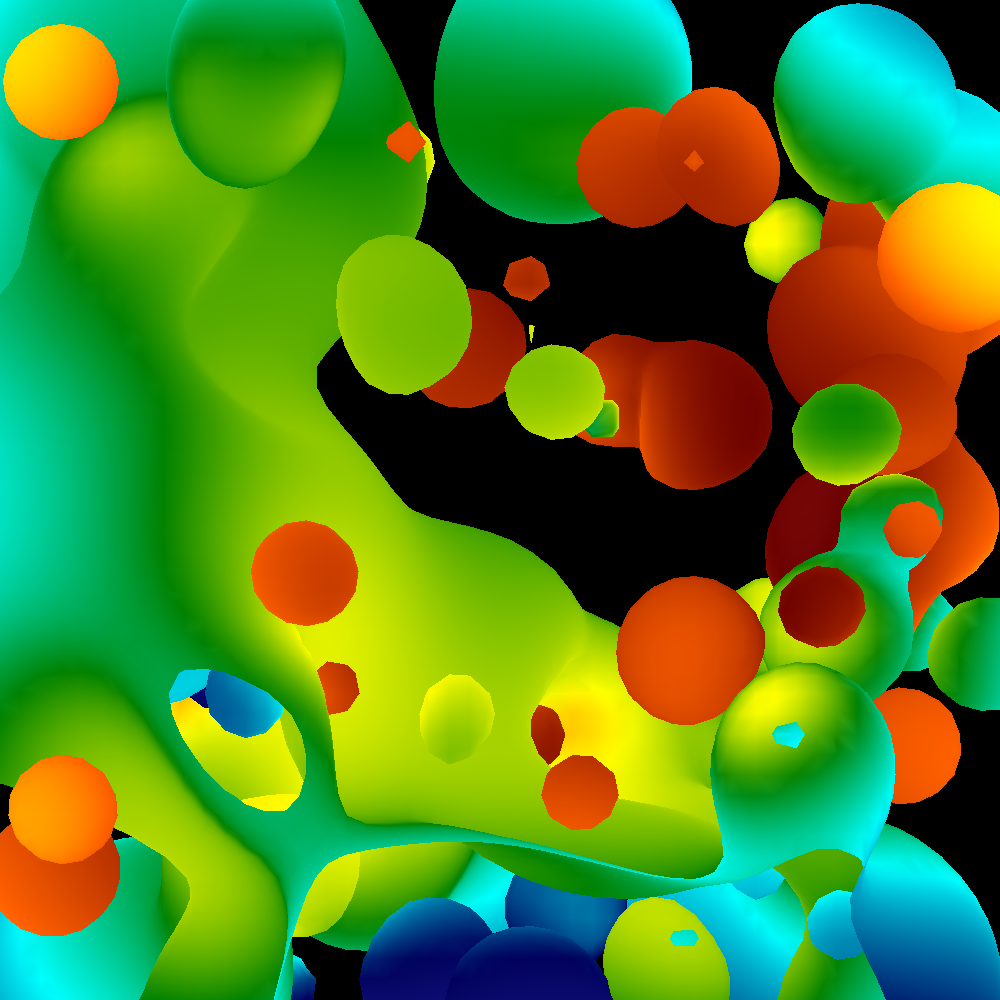 Final result of implementing both color interpolation and a z-buffer
Phong Shading
Once geometric visibility and interpolation were working correctly, I moved on to implementing lighting models.
Each vertex in the input mesh contains an associated surface normal vector. These normals describe the local surface orientation and are used to determine how much light reaches a point on the model.
The renderer computes lighting using the Phong reflection model, which consists of three components:
- Ambient lighting
- Diffuse lighting
- Specular highlights
Diffuse lighting was computed using Lambert’s cosine law:
\[\text{diffuse} = \max(0, \mathbf{L} \cdot \mathbf{N})\]where:
- $\mathbf{L}$ is the normalized light direction
- $\mathbf{N}$ is the normalized surface normal
This produces stronger illumination when surfaces face the light source directly and darker shading at grazing angles.
Specular highlights were then computed using the reflected light vector and the camera view direction. This simulates the bright highlights visible on shiny surfaces when the viewing angle aligns closely with the reflected light direction.
Once all components are calculated, the final illumination value is determined using the Phong reflection equation:
\[I = K_a + K_d(\mathbf{L} \cdot \mathbf{N}) + K_s(\mathbf{R} \cdot \mathbf{V})^\alpha\]where:
- $K_a$ controls ambient lighting contribution
- $K_d$ controls diffuse lighting intensity
- $K_s$ controls specular highlight intensity
- $\mathbf{R}$ is the reflected light vector
- $\mathbf{V}$ is the normalized view direction
- $\alpha$ controls surface shininess
Larger values of $\alpha$ produce tighter, sharper highlights, while smaller values create broader specular reflections.
Camera, View, and Device Transformations
To render 3D geometry onto a 2D image plane, the rasterizer implements a full transformation pipeline similar to modern graphics APIs.
Every vertex passes through several coordinate spaces:
- World Space
- Camera Space
- Clip Space
- Normalized Device Coordinates (NDC)
- Screen Space
The camera transformation constructs an orthonormal basis using the camera position, focus point, and up vector.
This generates three perpendicular vectors:
W→ viewing directionU→ camera right vectorV→ camera up vector
These vectors form the camera coordinate frame used to transform world-space geometry into camera space.
After camera transformation, vertices are projected using a perspective projection matrix.
Final Implementation
The final renderer was used to generate a 1,000-frame animation of a brain region during an aneurysm simulation.
The input mesh contained:
- 44,107 lines of geometry data
- 14,702 triangles per frame
For every frame, the renderer performed:
- Camera transformations
- Perspective projection
- Scanline rasterization
- Color interpolation
- Depth testing
- Lighting calculations
All rendering was performed entirely on the CPU in software.
The resulting image sequence was compiled into the gif seen below using ffmpeg.
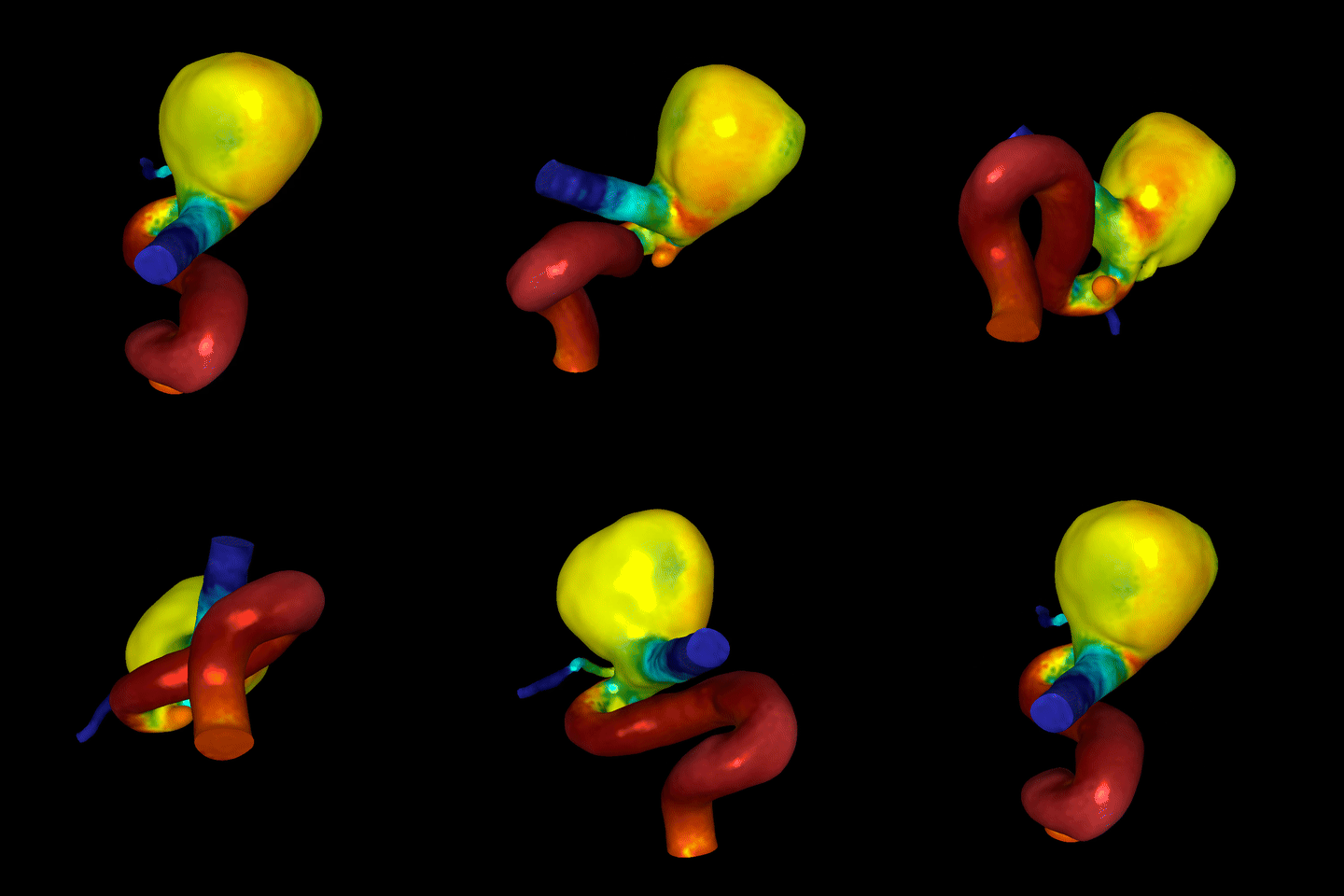 Rasterizer Demo
Reflections
Building a rasterizer from scratch fundamentally changed the way I think about graphics APIs. As the project also reinforced how much hidden complexity modern GPUs handle automatically. Even relatively simple rendering features require careful handling of coordinate systems, numerical precision, interpolation, and visibility.
This project would set the basis for future graphics projects I have and am still developing.